How Utility Tracking Supports Technology Expense Management
May 31, 2026
Cost Control
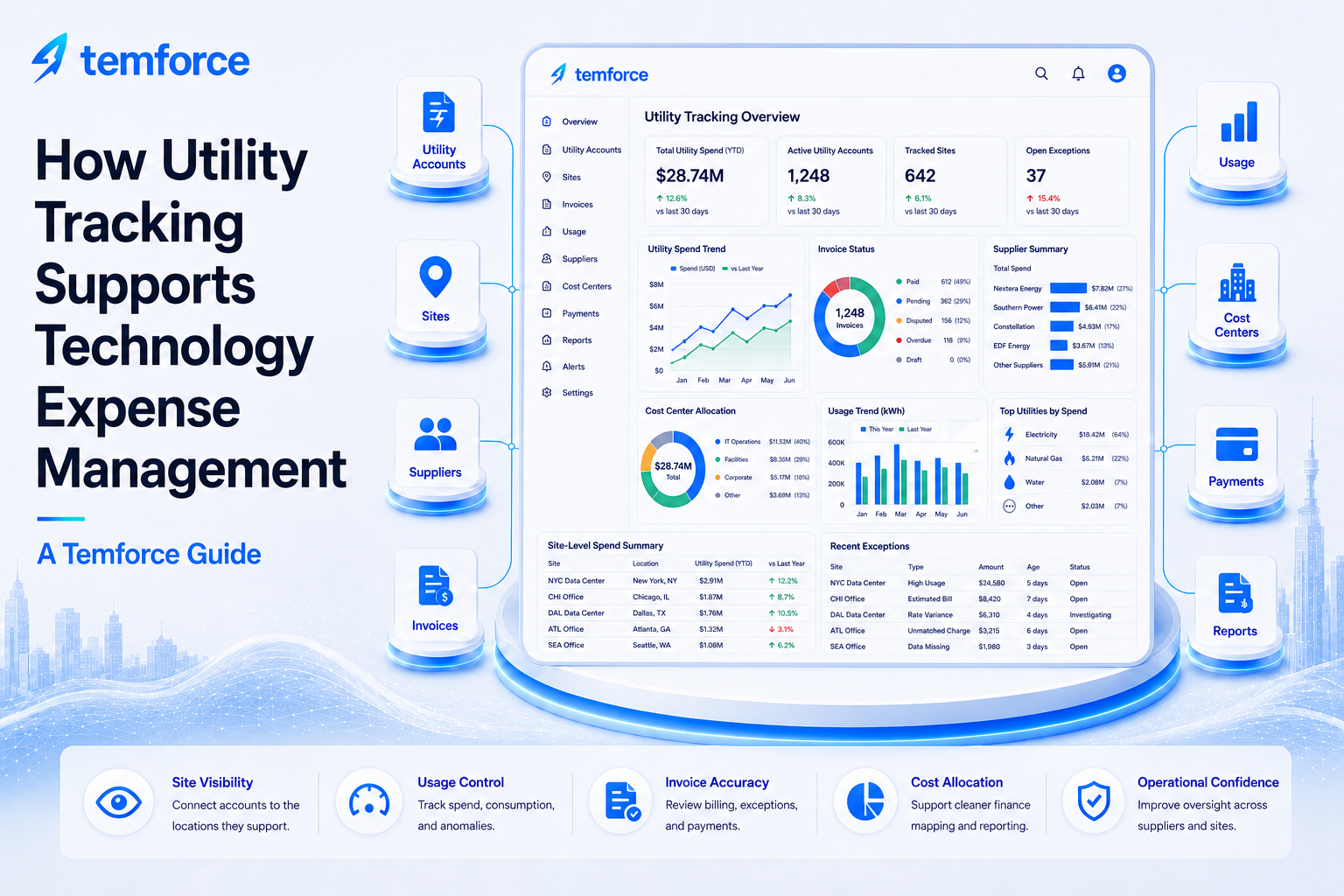
Utility tracking supports technology expense management by connecting utility accounts, sites, suppliers, invoices, meters, usage, cost centers, payments, reports, and ownership records. For organizations with many locations, utility tracking helps reveal where recurring site-level expenses exist, who owns them, what is being billed, and where costs may be changing.
Utility expenses often behave like technology expenses. They are recurring, supplier-driven, site-based, invoice-heavy, and easy to lose track of when accounts, locations, ownership, and payment status are disconnected. Utility tracking gives teams a structured way to manage those expenses with the same discipline used for telecom, cloud, SaaS, and network spend.
Every recurring utility account should connect to a site, supplier, owner, invoice, cost center, service status, and reporting category. If the account cannot be explained, it should be reviewed.
Why utility tracking matters in TEM
Utility accounts can become difficult to control when organizations have many sites, multiple suppliers, account transfers, meter changes, seasonal usage shifts, and site openings or closures. Without clear tracking, teams may miss duplicate bills, unexpected usage, inactive locations, missing invoices, or charges assigned to the wrong cost center.
A strong utility tracking process helps TEM, facilities, finance, procurement, and business owners understand site-level expense activity and respond to exceptions faster.
Utility tracking connects accounts, meters, suppliers, sites, invoices, cost centers, owners, and service status.
Each account should have a business owner, finance owner, site relationship, review cadence, and escalation path.
Controls help identify closed locations still billing, duplicate accounts, usage spikes, late fees, and supplier issues.
Teams spend less time searching supplier portals, invoice files, location lists, and finance reports to explain utility spend.
Utility tracking extends TEM discipline into site-based recurring expenses. It helps organizations connect operational location data with supplier invoices, payment controls, cost allocation, and reporting.
The utility tracking model
A strong utility tracking model connects utility accounts to the locations, suppliers, invoices, usage records, finance controls, and owners that explain them.
| Utility Control Area | What to Track | Why It Matters | Risk If Missing |
|---|---|---|---|
| Account identity | Supplier, account number, meter number, service type, account status, and parent account. | Creates a clear source of truth for each utility relationship. | Accounts may be duplicated, misidentified, or treated as active without verification. |
| Site relationship | Location, site code, address, facility owner, service start date, service end date, and business unit. | Connects utility spend to the physical location it supports. | Closed, moved, or inactive locations may continue to generate expense. |
| Invoice and payment tracking | Invoice number, invoice date, due date, amount, payment status, credits, late fees, and exceptions. | Ensures utility invoices are captured, reviewed, paid, and reconciled. | Missing invoices, payment delays, or duplicate charges may go unnoticed. |
| Usage and variance review | Usage units, seasonal trend, rate change, usage spike, baseline, variance, and anomaly reason. | Explains whether spend changes are driven by usage, rates, sites, or billing issues. | Unexpected usage or rate changes may become recurring cost exposure. |
| Finance allocation | Cost center, GL code, department, allocation rule, budget owner, and chargeback status. | Connects utility spend to the correct financial owner and reporting category. | Charges may be misallocated or difficult for finance to explain. |
| Governance outcome | Review owner, task status, supplier follow-up, correction status, savings outcome, and closure evidence. | Turns utility exceptions into assigned and completed action. | Issues may repeat across billing cycles without resolution. |
How to manage utility tracking in a TEMOps operating model
Utility tracking should be managed as a recurring control process. The goal is to make sure every account, invoice, site, owner, and exception is visible and explainable.
Build the utility account inventory
Create a structured record for each utility account, supplier, meter, service type, site, owner, and account status.
Connect accounts to locations
Map accounts to active sites, addresses, departments, cost centers, facility owners, and business units.
Match invoices to accounts
Review current-period invoices against expected accounts, billing cycles, payment status, credits, and exceptions.
Analyze usage and variance
Monitor rate changes, usage spikes, seasonal patterns, unusual billing, late fees, duplicate charges, and closed-site billing.
Assign exceptions
Route missing invoices, account errors, supplier issues, payment problems, and site discrepancies to accountable owners.
Report utility outcomes
Show account coverage, spend trends, usage variance, open exceptions, savings, payment status, and site-level risk.
What utility tracking records should track
Utility tracking records should capture enough detail to support invoice control, usage review, site accountability, payment accuracy, and finance reporting.
- Supplier, account number, meter number, service type, parent account, account status, and lifecycle status
- Site code, location name, address, facility owner, business unit, department, cost center, and GL code
- Invoice number, invoice date, billing period, due date, current charges, taxes, fees, credits, and payment status
- Usage units, rate, baseline, seasonal trend, variance amount, usage spike, and anomaly reason
- Start date, stop date, transfer date, closed-site flag, duplicate account flag, and account consolidation note
- Supplier ticket, dispute status, payment issue, late fee, credit request, and supplier follow-up note
- Task owner, due date, next action, escalation status, resolution note, and closure evidence
- Dashboard category, reporting period, executive summary, savings outcome, and governance review status
If a utility account cannot be tied to an active site, supplier, invoice, owner, and cost center, it should be reviewed before the next billing cycle.
Common utility tracking issues
Utility tracking issues usually appear when supplier accounts, site lists, invoices, payment status, cost centers, and ownership records are disconnected.
Accounts may remain active after a location closes, moves, or changes responsibility.
Missing invoices can create payment risk, accrual exposure, or supplier billing confusion.
Unusual usage may reflect operational changes, billing issues, rate changes, leaks, or supplier errors.
Utility charges may post to stale cost centers, wrong departments, or default finance categories.
Suppliers may consolidate, transfer, or rename accounts without clear internal tracking.
Leadership may not see recurring utility exposure, site-level trends, or open account issues.
Example scenario: a closed site continues to receive utility invoices
A location closes, but a utility invoice continues to arrive for the account tied to that address. In a weak process, the bill may be paid because it looks like a normal recurring invoice. In a stronger TEMOps process, the account is linked to the site record, the closure date is visible, the invoice is flagged, supplier follow-up is assigned, and the team can pursue correction or credit recovery.
Instead of asking, “Did we receive the invoice?” the business asks, “Is this account still tied to an active site, is the usage expected, and who owns the resolution?”
How Temforce helps with utility tracking
Temforce helps organizations connect utility accounts to sites, suppliers, invoices, usage, cost centers, payments, reports, dashboards, and task workflows.
The goal is to move utility tracking away from scattered spreadsheets and supplier portals and toward a governed TEMOps process with account visibility, invoice control, ownership, and reporting confidence.
Track utility accounts by supplier, site, meter, service type, owner, account status, cost center, and lifecycle status.
Review utility invoices, missing bills, payment status, usage variance, rate changes, closed-site billing, and supplier issues.
Report spend trends, usage anomalies, open exceptions, supplier activity, finance allocation, savings, and governance outcomes.
