How Invoice Batch Reporting Improves Technology Expense Management
May 30, 2026
Cost Control
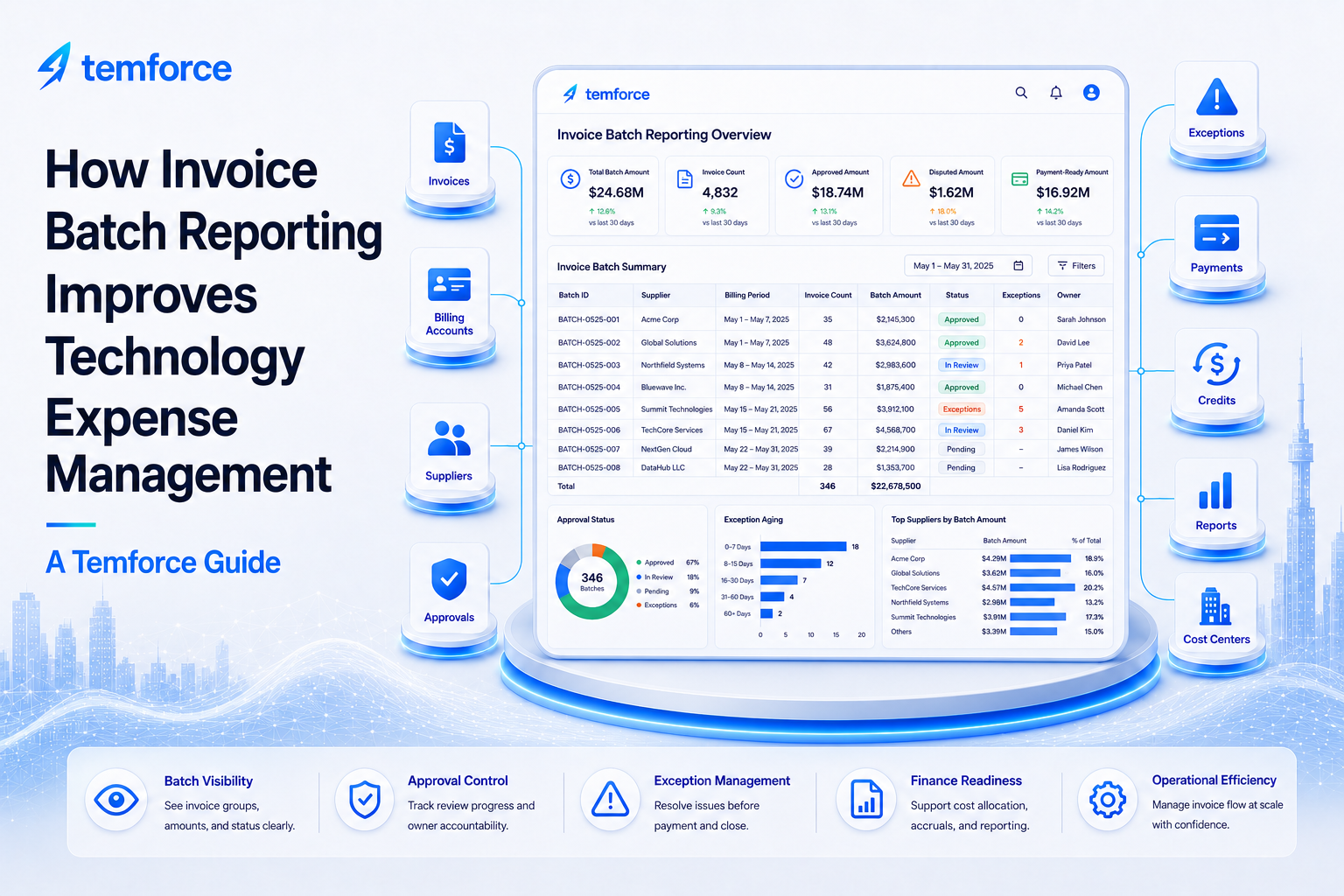
Invoice batch reporting improves technology expense management by giving teams one controlled view of invoice groups, approval status, supplier activity, billing account coverage, exceptions, payments, disputes, credits, and cost allocation. It helps TEM and finance teams manage invoice flow before individual issues become month-end problems.
Invoice batch reporting is the operating view that shows whether invoices are moving through TEM and finance correctly. Instead of checking one invoice at a time, teams can see patterns across suppliers, billing accounts, periods, approval queues, exception aging, and payment readiness.
An invoice batch is not just a group of bills. It is a control point for invoice intake, validation, approval, exception handling, payment readiness, cost allocation, and monthly close confidence.
Why invoice batch reporting matters in TEM
Telecom and technology invoices often arrive across multiple suppliers, billing accounts, formats, service periods, and review cycles. Without invoice batch reporting, teams may not know which invoices are missing, which are stuck, which contain exceptions, which need approval, or which are ready for payment.
A strong invoice batch report gives TEM, AP, finance, procurement, and business owners a shared view of invoice progress and unresolved risk.
Batch reporting connects invoices, suppliers, billing accounts, amounts, periods, owners, exceptions, approvals, and payment status.
Every invoice batch needs an owner, review status, exception path, approval timeline, and finance handoff process.
Batch controls help identify missing invoices, stalled reviews, unresolved disputes, duplicate invoices, and payment blockers.
Teams spend less time building status updates from emails, supplier portals, spreadsheets, and invoice queues.
Invoice batch reporting is where invoice management becomes operationally visible. It helps teams see which invoices are clean, which invoices need action, and which issues could affect finance close.
The invoice batch reporting model
A strong invoice batch report connects invoice intake to validation, approval, exception handling, payment readiness, and financial reporting.
| Batch Reporting Area | What to Track | Why It Matters | Risk If Missing |
|---|---|---|---|
| Batch identity | Batch number, supplier, period, invoice count, total amount, received date, and batch owner. | Creates a clean control record for invoice groups. | Teams may not know which invoices belong together or who owns the batch. |
| Invoice coverage | Expected invoices, received invoices, missing invoices, duplicate invoices, and billing account coverage. | Shows whether the period has complete invoice intake. | Missing invoices may create accrual issues and incomplete reporting. |
| Validation status | Matched, unmatched, exception, pending review, disputed, corrected, or ready for approval. | Shows which invoices are clean and which need action. | Invoices may move forward before charges are validated. |
| Approval and payment readiness | Approval owner, approval status, due date, payment hold, payment ready status, and payment confirmation. | Helps finance understand what can move forward and what is blocked. | Invoices may be late, held, or paid without visibility. |
| Exception and dispute tracking | Exception count, disputed amount, credit expected, supplier ticket, aging, and next action. | Highlights operational risk inside the batch. | Disputes may age without ownership or resolution. |
| Finance and reporting outcome | Cost center readiness, GL status, accrual status, approved amount, paid amount, and period close status. | Connects invoice batches to finance reporting and close readiness. | Finance may receive incomplete or unreliable invoice data. |
How to manage invoice batch reporting in a TEMOps operating model
Invoice batch reporting should be part of the recurring TEMOps cadence. The goal is to know which invoice groups are complete, clean, approved, disputed, paid, or still blocked.
Create the invoice batch
Group invoices by supplier, period, business unit, category, payment cycle, or operational process.
Confirm invoice coverage
Compare received invoices to expected supplier invoices, billing accounts, and prior-period invoice activity.
Validate the batch
Review invoice charges against inventory, contracts, billing accounts, credits, disputes, cost centers, and expected spend.
Route exceptions
Assign unmatched charges, missing data, duplicate invoices, disputed amounts, and supplier follow-ups to the right owners.
Move clean invoices forward
Confirm which invoices are approved, payment-ready, held, disputed, rejected, corrected, or pending owner review.
Report batch outcomes
Show invoice count, approved amount, disputed amount, open exceptions, payment readiness, aging, and close impact.
What invoice batch reports should track
Invoice batch reports should capture enough detail to support invoice intake, validation, approval, payment readiness, finance close, and executive reporting.
- Batch number, supplier, billing period, received date, invoice count, batch amount, owner, and current status
- Expected invoices, missing invoices, duplicate invoices, billing accounts, supplier accounts, and coverage rate
- Matched invoices, unmatched invoices, validation exceptions, disputed invoices, corrected invoices, and rejected invoices
- Approval owner, approval date, approval status, payment ready flag, payment hold, and payment confirmation status
- Disputed amount, credit expected, credit received, supplier ticket, dispute aging, and next action
- Cost center status, GL coding status, allocation readiness, accrual status, and finance period
- Open blockers, task owner, due date, escalation level, resolution note, and closure evidence
- Dashboard category, reporting status, period close impact, and executive summary note
If an invoice batch cannot show which invoices are missing, approved, disputed, paid, or blocked, finance does not have full control of the period.
Common invoice batch reporting issues
Batch reporting issues usually appear when invoice intake, supplier records, approval workflows, payment readiness, and finance reporting are disconnected.
Teams may not know that a supplier invoice is missing until close or payment timing is already affected.
Invoices may sit in review because unmatched charges, rate issues, or inventory mismatches are not tracked cleanly.
Approval delays create payment risk when ownership, due dates, and blockers are not visible.
Supplier disputes and expected credits may be hidden inside invoice notes instead of tracked at the batch level.
Missing GL codes, cost centers, accrual status, or allocation data can delay finance reporting.
Without batch reporting, leaders may not see invoice volume, risk, exceptions, payment readiness, or aging.
Example scenario: supplier invoices are received but not payment-ready
A supplier sends ten invoices for the month. Seven validate cleanly, two contain inventory mismatches, and one is missing a cost center. In a weak process, the batch may sit until someone manually researches the issues. In a stronger TEMOps process, the clean invoices move forward, exceptions are assigned, disputed amounts are tracked, and finance can see exactly what is payment-ready and what is blocked.
Instead of asking, “Did we receive the invoices?” the business asks, “Which invoices are clean, which are blocked, who owns each exception, and what is ready for payment?”
How Temforce helps with invoice batch reporting
Temforce helps organizations connect invoice batch reporting to the invoice, supplier, billing account, inventory, contract, payment, credit, dispute, cost center, report, and dashboard records that support stronger TEM finance control.
The goal is to move invoice batch status away from scattered emails and spreadsheets and into a governed TEMOps process with clear ownership, validation status, exception control, payment readiness, and reporting confidence.
Track supplier batches, invoice counts, amounts, received dates, missing invoices, owners, and review status.
Connect unmatched charges, disputes, credit recovery, missing coding, duplicate invoices, and approval blockers.
Report approval status, payment readiness, accrual exposure, cost center readiness, open blockers, and close impact.
